
REPETITIO EST MATER STUDIORUM
Block distractions.
Finish your Anki reviews.
AnkiGate locks your distracting apps until you complete your daily AnkiDroid reviews. No willpower required.
Get it on Google PlayComing soon to the Play Store
Features
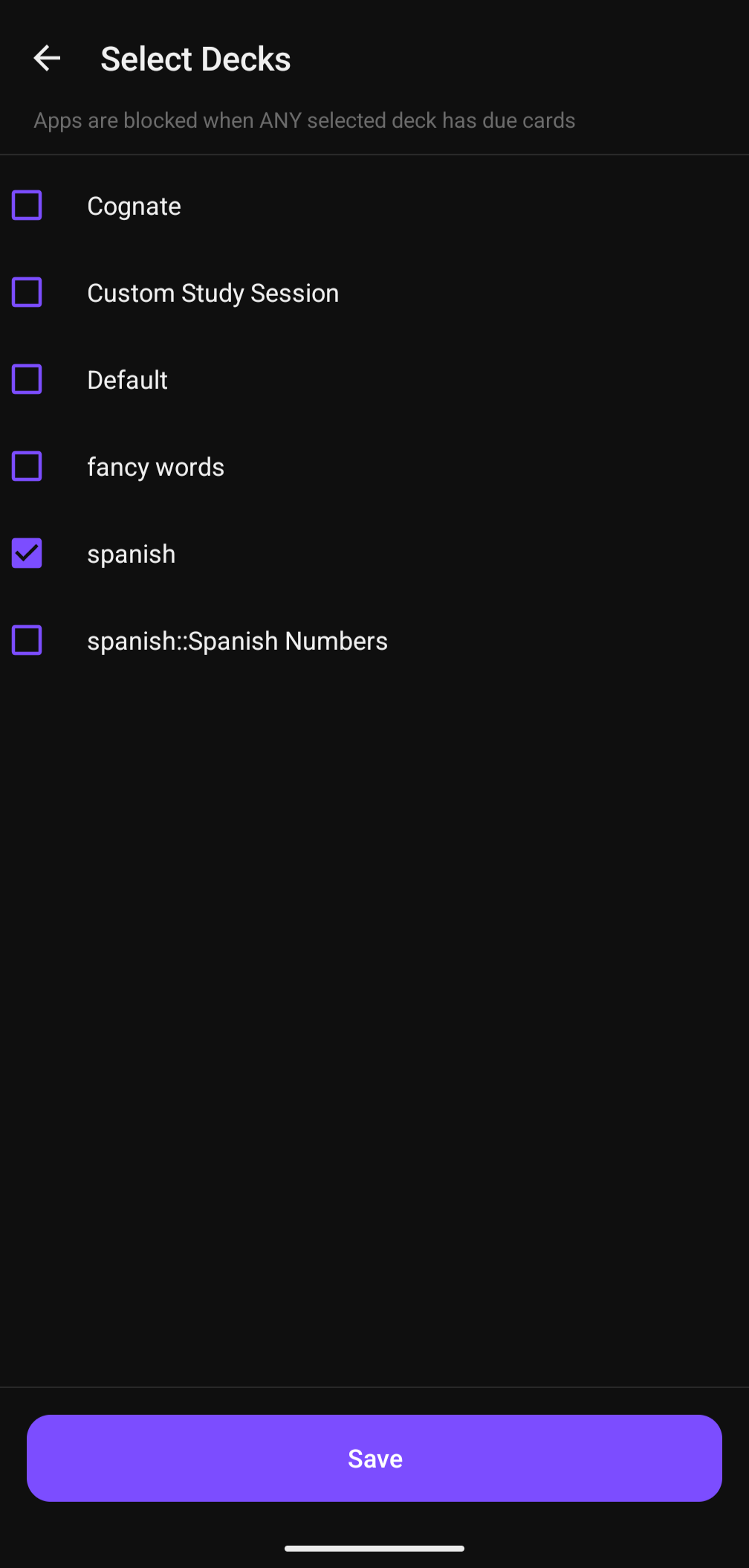
Choose Your Decks
Select exactly which AnkiDroid decks to monitor. Only those decks need to be complete before apps unlock.
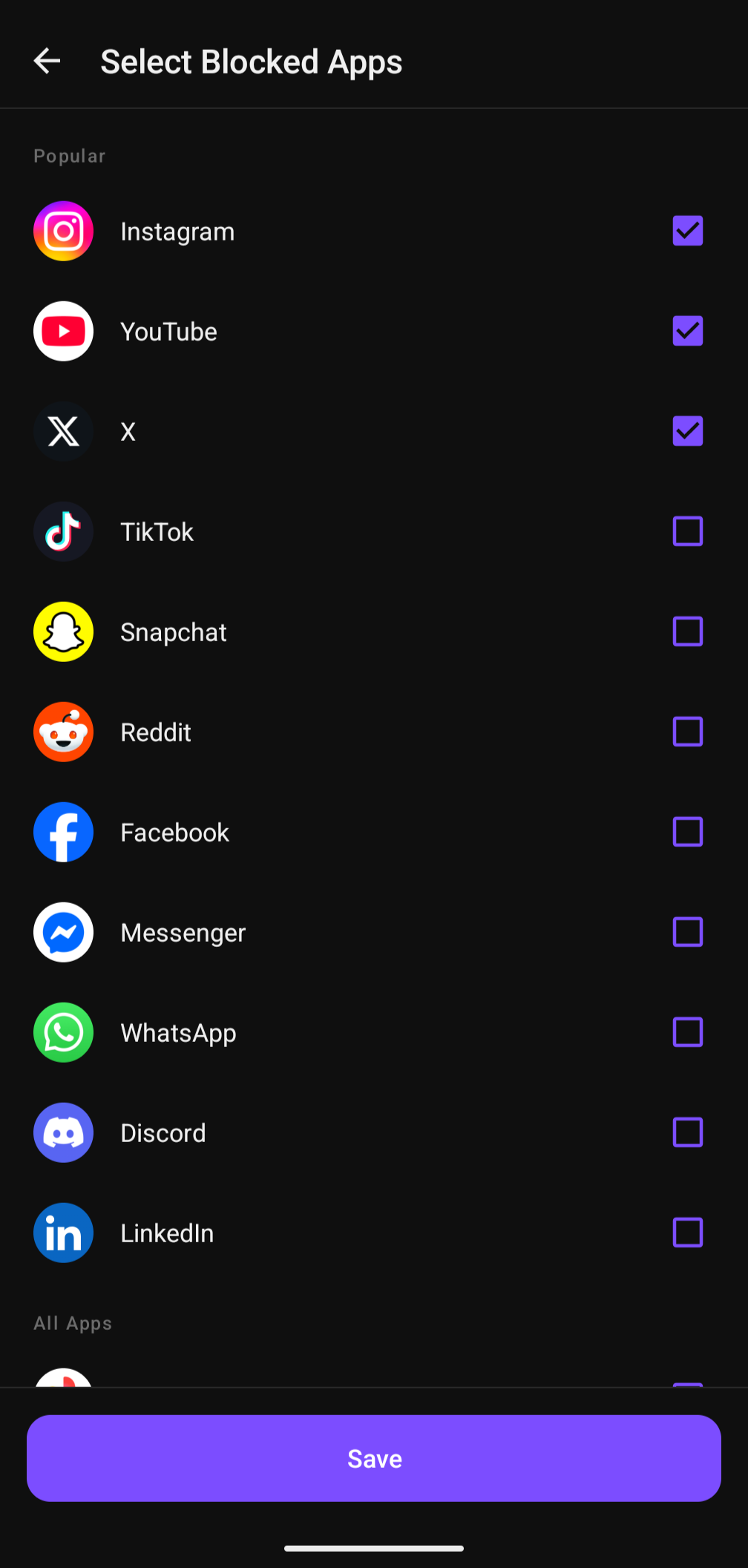
Pick Apps to Block
Choose which apps to lock. Popular social media apps are pinned at the top for quick selection.
Auto-Unlock
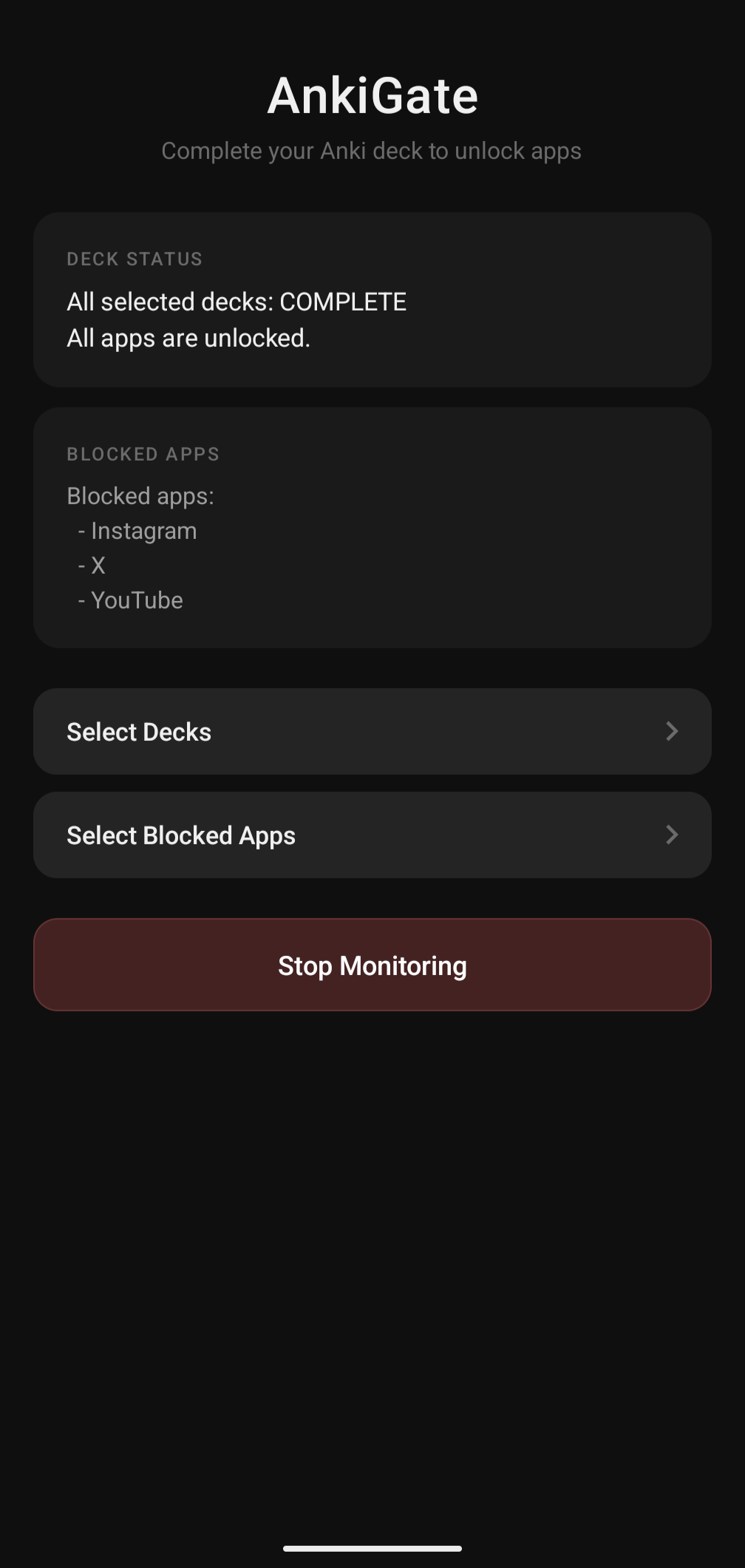
The moment all your selected decks hit zero due cards, blocked apps unlock automatically.
Minimal & Fast
No internet needed, no accounts, no ads. Runs quietly in the background with minimal battery impact.
Auto-Start on Boot
Monitoring resumes automatically when your device restarts. Set it and forget it.
Real-Time Status
See due card counts and your blocked app list at a glance from the main screen.
How It Works
Pick your decks
Select which AnkiDroid decks you want to finish each day.
Pick apps to block
Choose the distracting apps you want locked until reviews are done.
Start monitoring
Tap start and AnkiGate runs in the background, blocking apps when you open them.
Do your reviews
Complete your Anki cards and everything unlocks automatically.